Run it locally
Install the packages once, then one command per session: the site and the admin run together on your computer, with no account and no environment variables.
What you need
Node.js 22 or 24, and pnpm. The template uses pnpm for every command; not npm or yarn.
Install and run
Open a terminal in the root folder of the source code (the one with package.json), then run:
# Install the packages, only the first time
pnpm install

# Run the site with its admin
pnpm dev
Site and admin addresses
| Open | Address |
|---|---|
| Site | http://localhost:4321 |
| Admin | http://localhost:4321/admin/index.html |
Note
The local admin needs no sign-in and saves straight to the files in content/. Commit and push the changes like code. Under pnpm dev the admin opens only at /admin/index.html; /admin/ exists only after a build.
Edit content locally
- Open
/admin/index.html. - The first time, press Vào chế độ chỉnh sửa (Enter edit mode).
- Pick a collection in the left bar, then the page to edit.
- Edit in the form on the left; the preview on the right redraws as you type.
- Press Lưu (Save): the content is written to
content/.
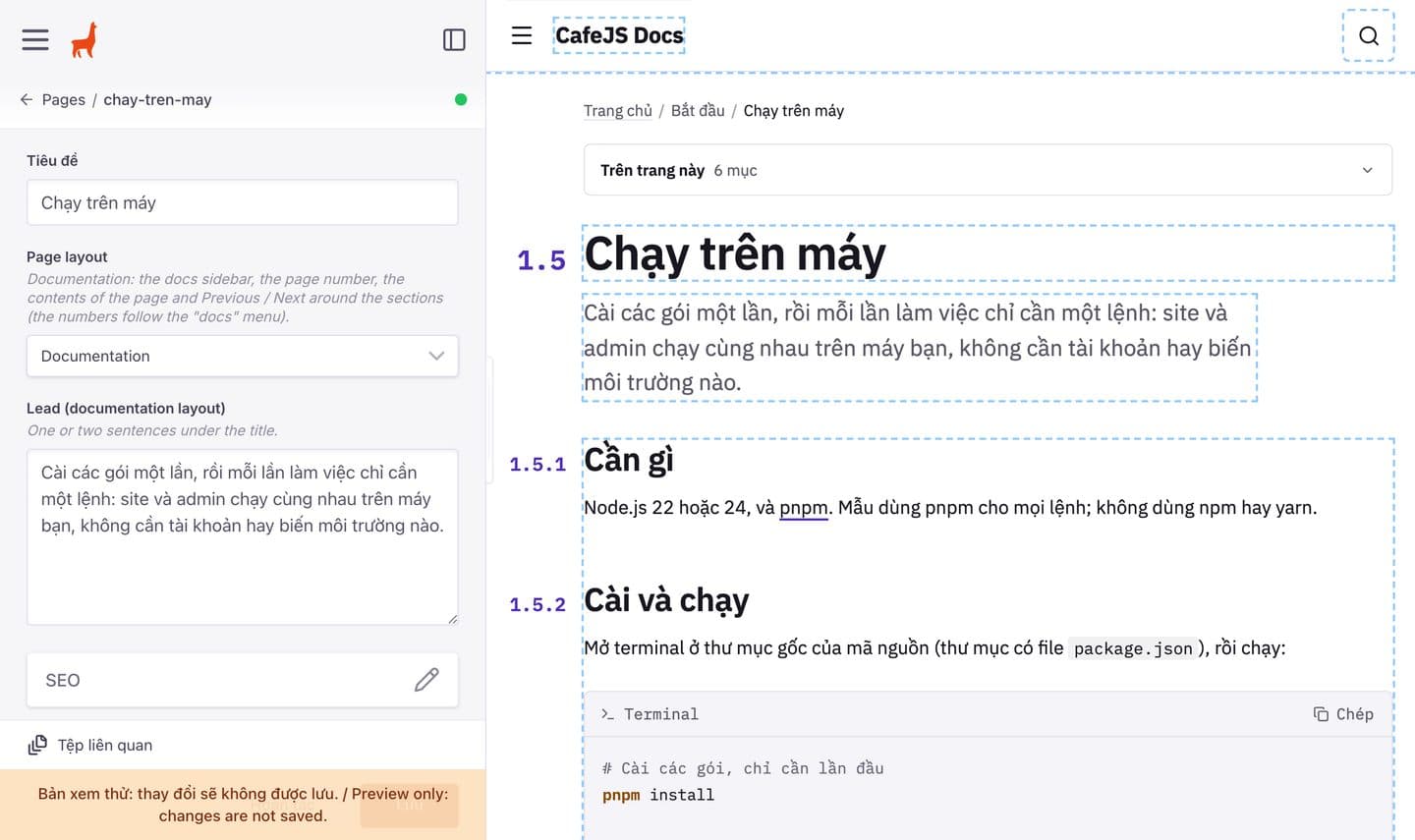
This is the preview admin of this documentation site, so an orange “Bản xem thử” (preview only) bar sits at the foot of the form; the local admin has no such bar. Every part of the admin is covered in 2.1 Open the admin.
When a port is taken
If port 4321 (or 4001, 9000) is used by another program, run on a set of your own:
pnpm dev
# Site: http://localhost:4321
pnpm exec tinacms dev --port 4015 --datalayer-port 9023 -c "astro dev --port 4331"
# Site: http://localhost:4331Then open http://localhost:4331 and http://localhost:4331/admin/index.html.
Tip
To see every section and its variants, open /design on the running site.
The modified TinaCMS packages
The vendor/ folder holds modified TinaCMS packages, including the Vietnamese admin interface; package.json installs TinaCMS from there.
Warning
Don’t upgrade these packages to the npm releases (pnpm up tinacms or similar): the admin would go back to English and lose the changes.